How to use Careerhelp
Everything you can do on Careerhelp
Go from "no idea" to a shortlist of careers and the exact path into each one: what it pays, how long it takes, what it costs and what the work is really like. Every picture below is the real site. Tap one to open that screen.
1
Find a career
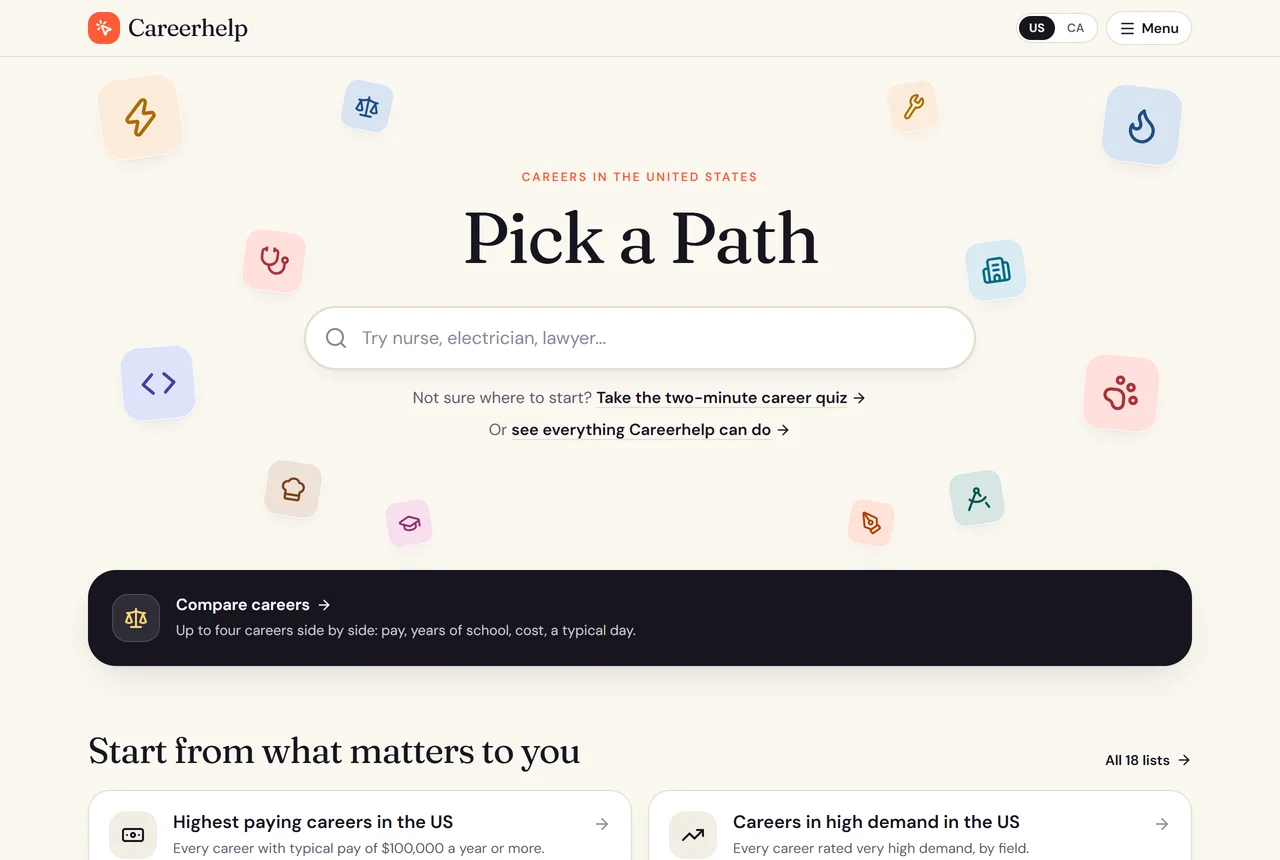
Type a job you have heard of, such as nurse, electrician or lawyer, or browse all 454 careers by field. The same box finds a tool or a guide by name. The home page also opens straight into the lists and the career comparer, so if you arrive with a question rather than a job title, you still have somewhere to go.
2
See the whole career at a glance
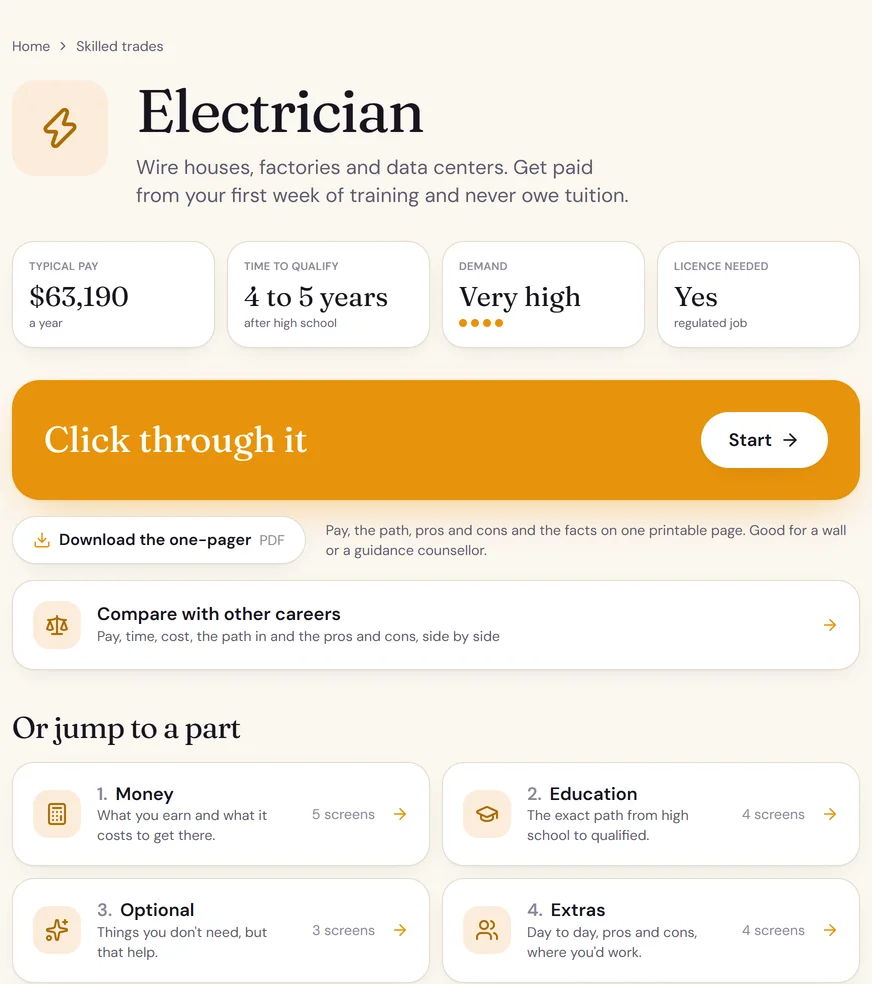
Every career opens on the four facts people ask first: typical pay, how many years it takes after high school, how much demand there is, and whether you need a license. Under that are plain answers to the questions people actually search, the five parts to click through, a one-page summary to download and print, and the programs where you can study it.
3
Click through it, one screen at a time
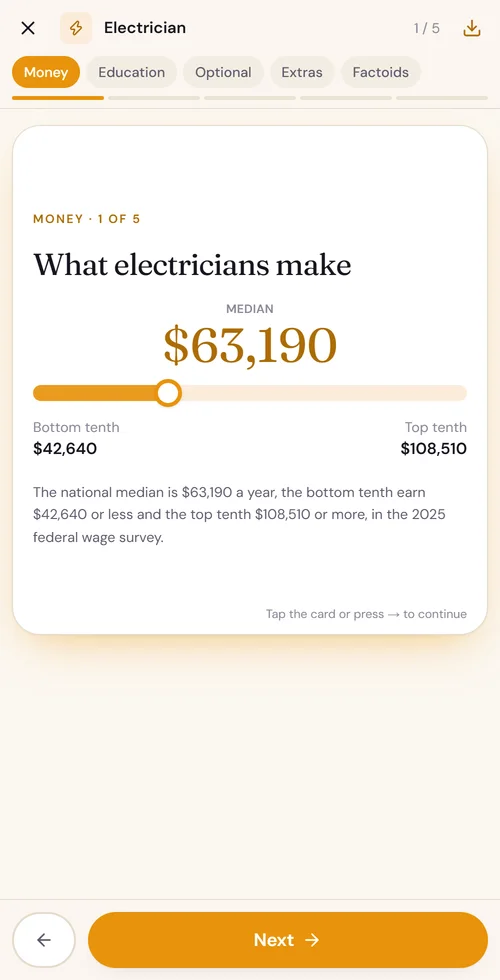
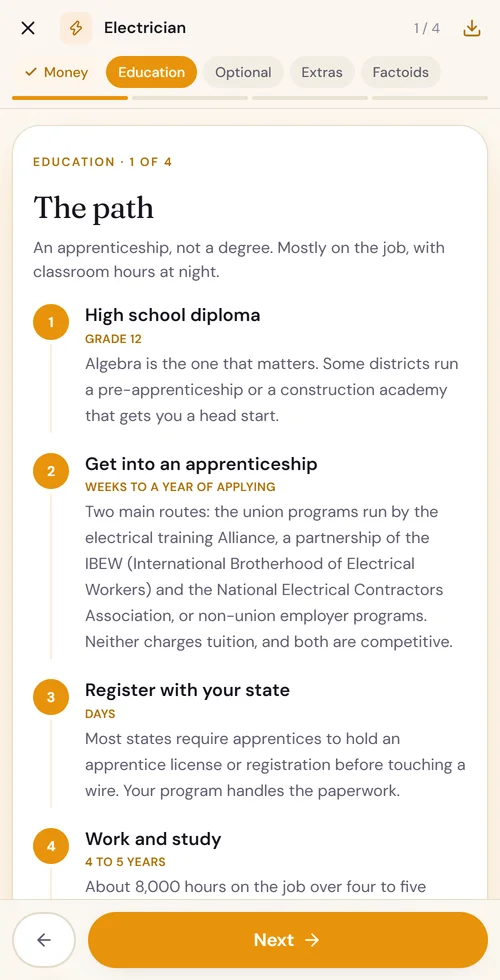
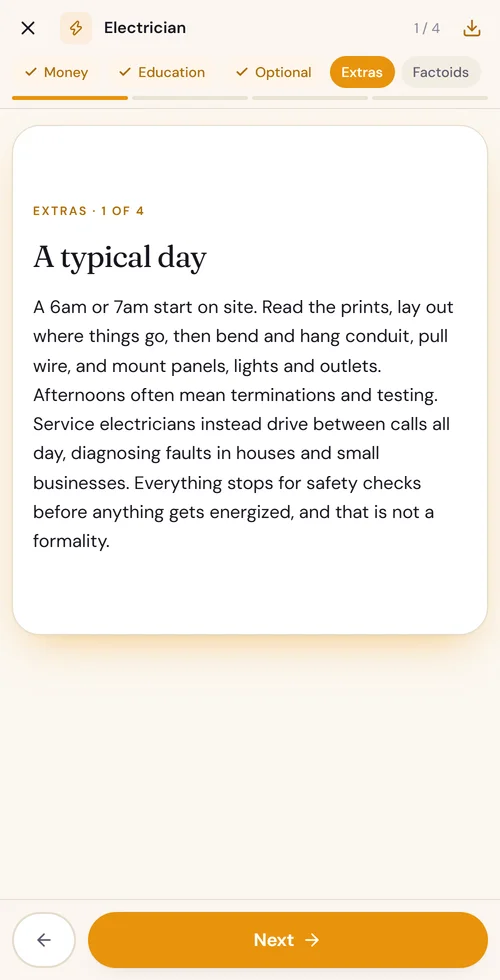
This is the heart of Careerhelp. Each career is split into five parts, Money, Education, Optional, Extras and Factoids, and each part is a few short screens. Tap the card or swipe to move on, so it reads like a story on your phone rather than a wall of text.
Money shows the pay range from the bottom to the top, with the reason for the spread. Education is the exact path, step by step, with how long each step takes. Extras is a typical day, the pros and cons, and where people in the job actually work. Factoids are the things nobody mentions until you are in it.
4
Not sure where to start? Take the quiz
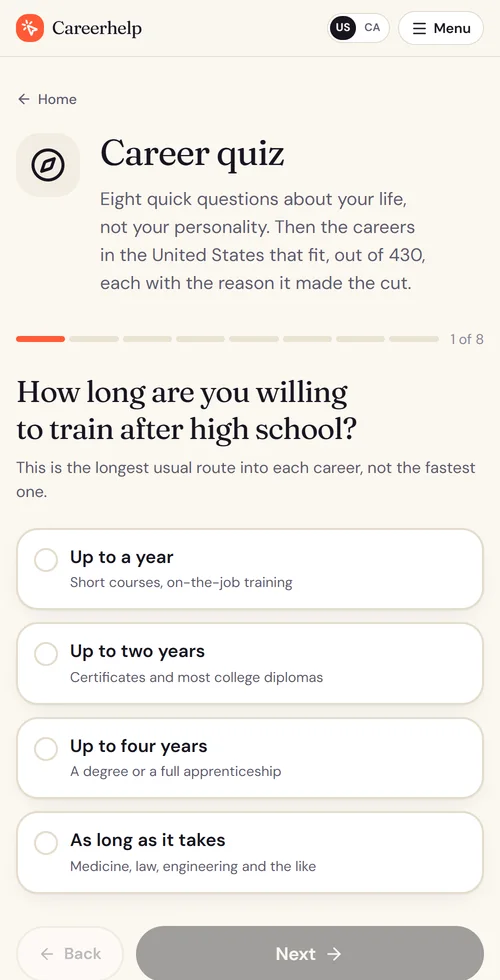
The career quiz asks eight questions about your life, not your personality: how long you are willing to train, what you want to earn, whether you mind a license exam, where you want to work. Then it gives you a shortlist of the careers that fit, each with the reason it made the cut.
Your answers are saved in the link, so you can bookmark the result, come back to it, or bring it to a guidance appointment.
5
Put careers side by side
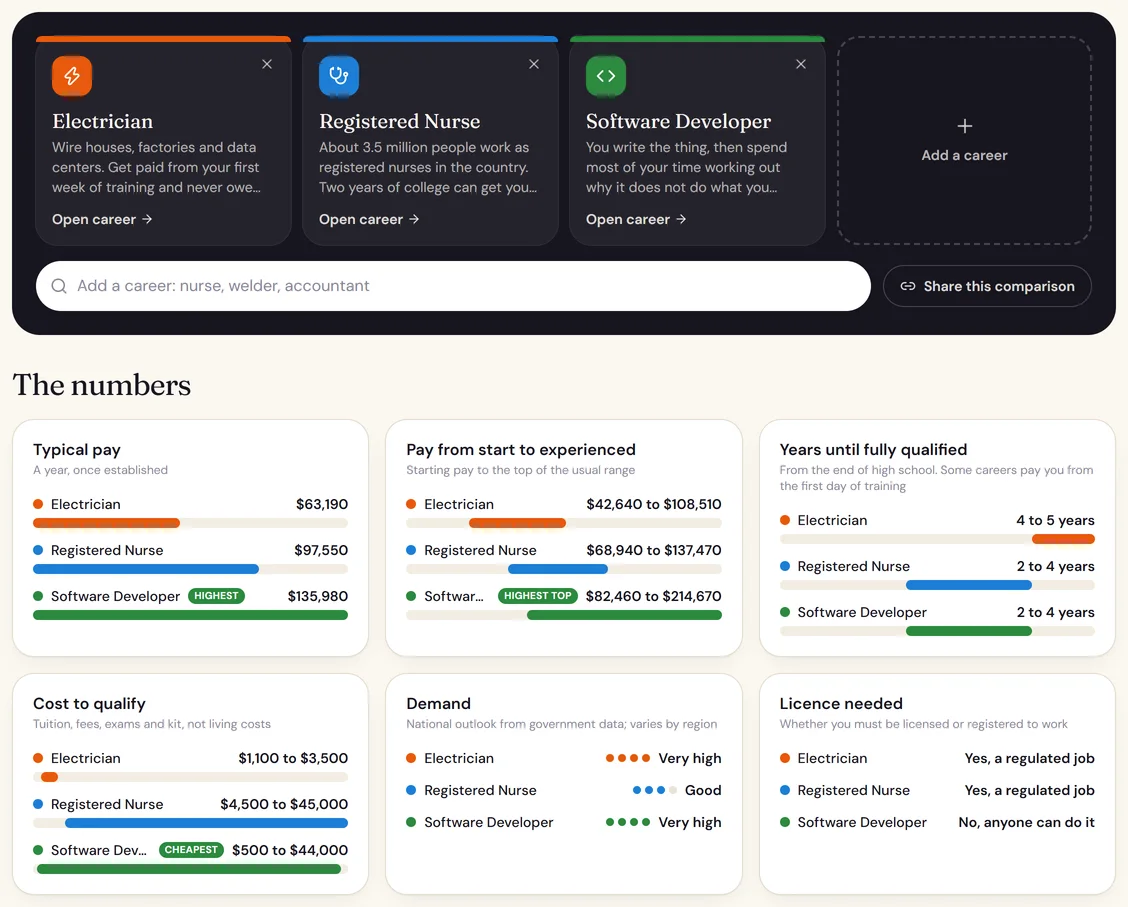
Torn between two or three careers? The career comparer puts up to four next to each other: typical pay, pay from the first year to experienced, years until fully qualified, what it costs to train, demand and whether you need a license. The best on each is marked, so the trade-offs are plain: the software developer earns most, while the electrician and the software developer both have very high demand.
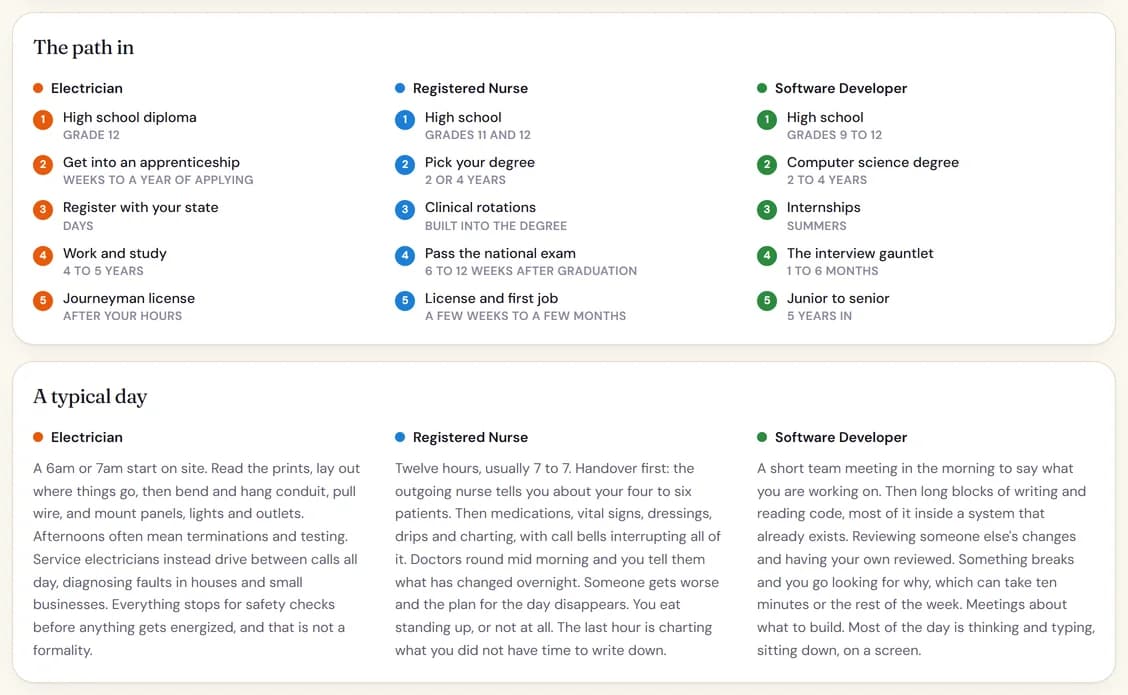
Then the real thing: where each one works, the path in step by step, what a typical day looks like, the good and the hard parts. You can share the comparison as a link, and open any career from it.
6
Find the universities that fit your SAT or ACT
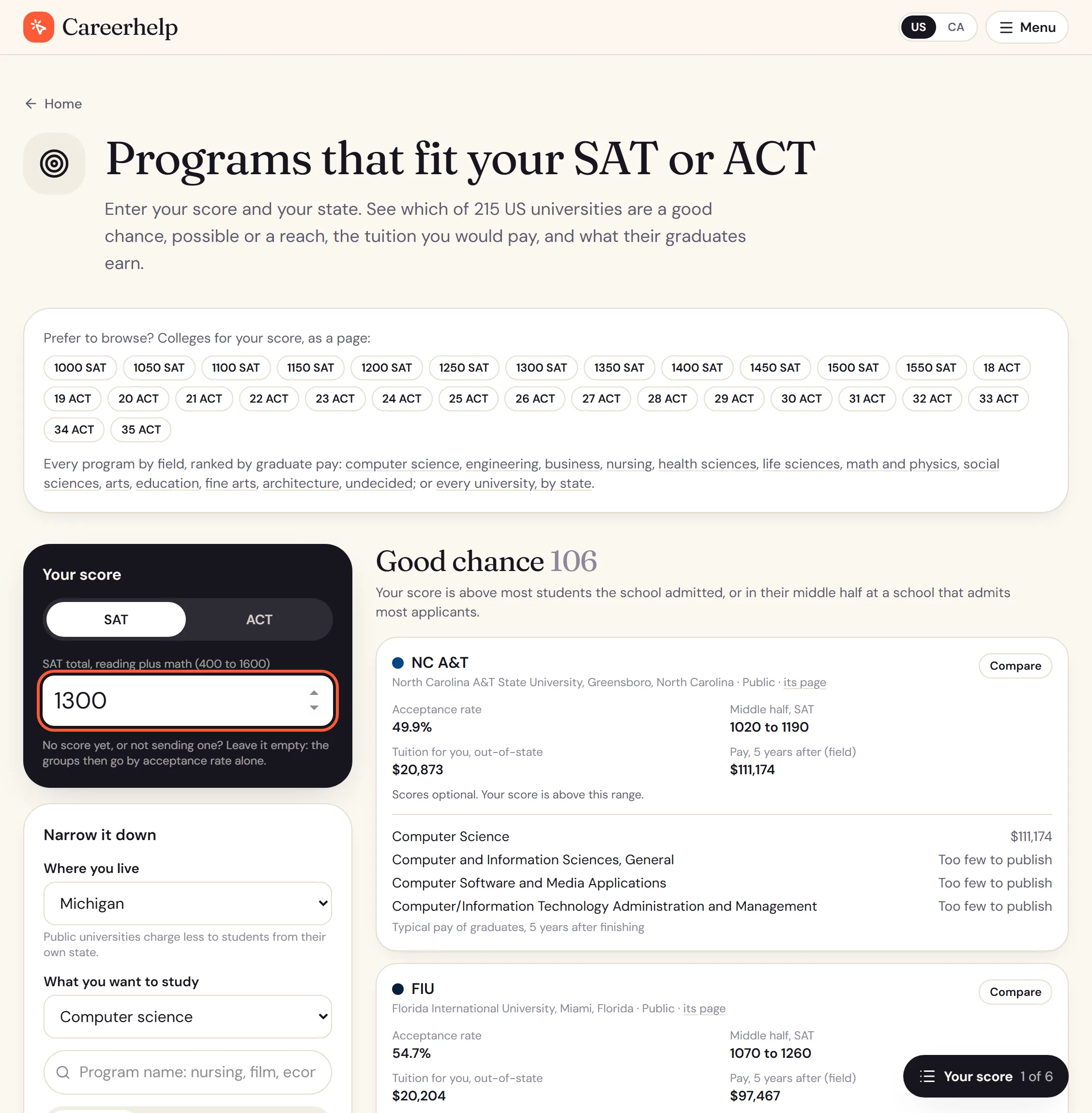
Type your SAT or ACT score, pick your state and what you want to study. Every one of the 215 universities is sorted into a good chance, possible or a reach, from the scores of the middle half of the students who enrolled there and how many applicants it takes. Each card shows the tuition you would pay from your state, the price after grants, whether scores are optional there, and the programs in your field with what their graduates earn five years on.
No score yet, or not sending one? Leave it empty and the groups go by acceptance rate alone. It answers the question every junior and senior has: with this score, where do I have a real chance?
7
Compare universities side by side
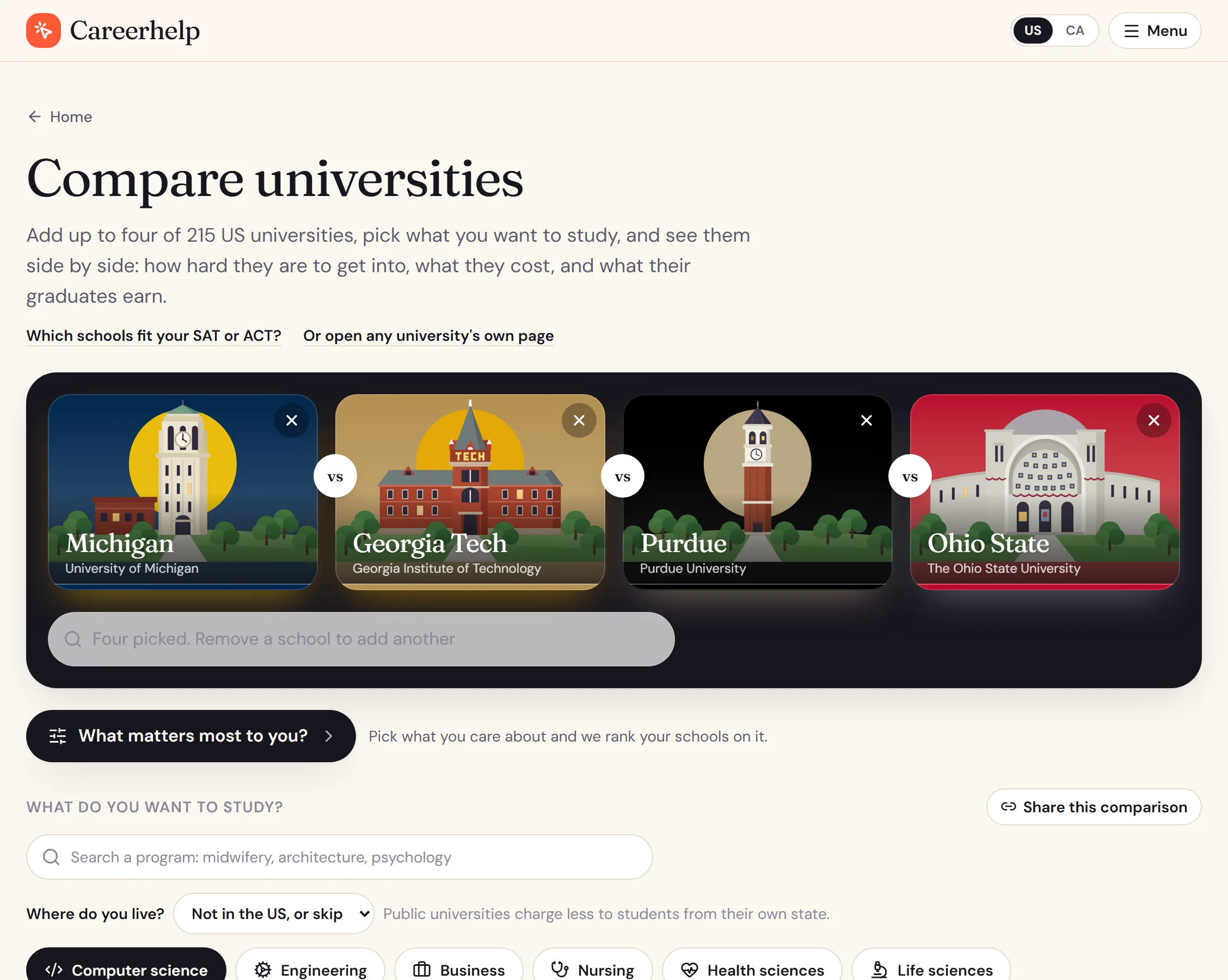
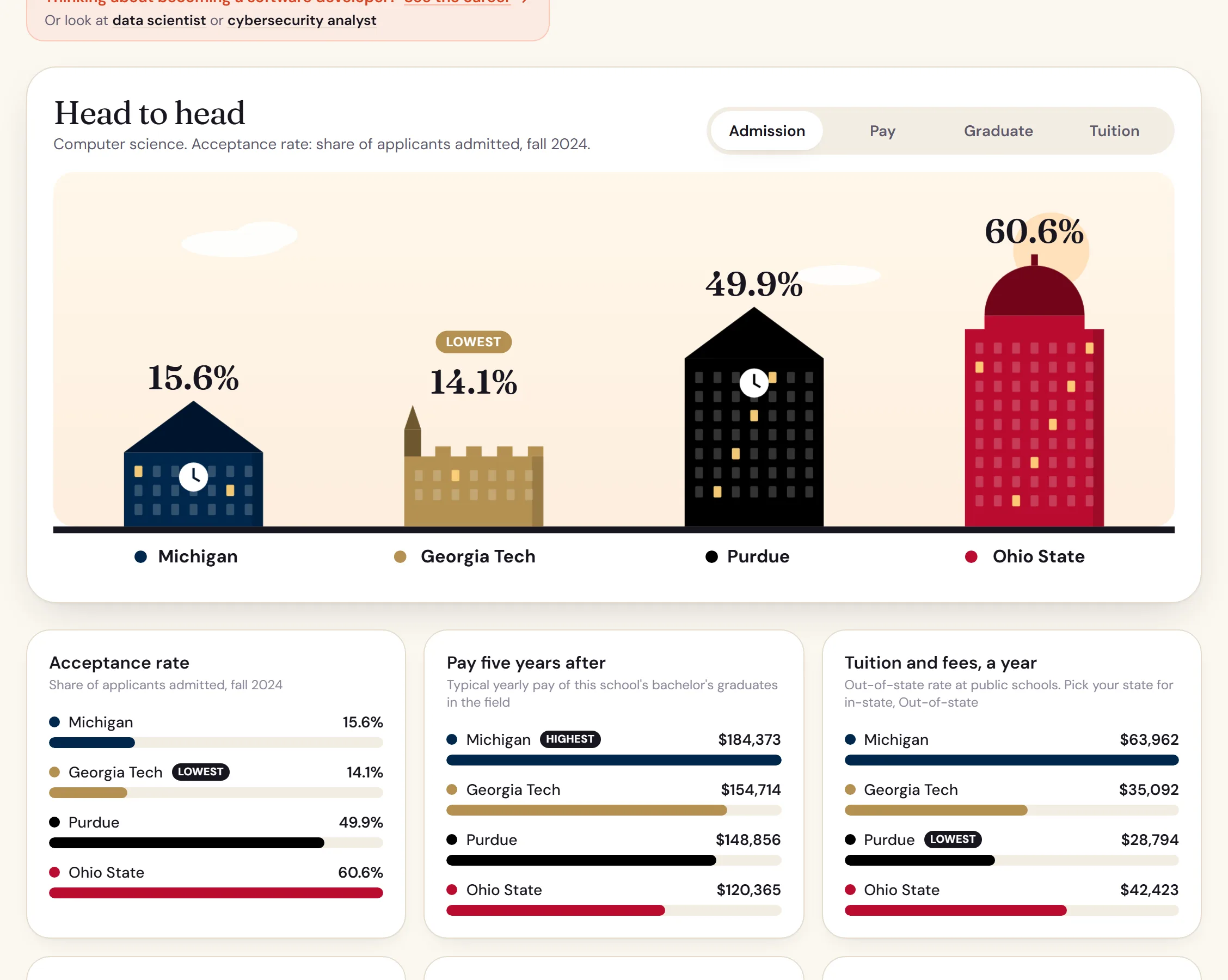
Add up to four of the 215 universities and pick a field. "What matters most to you?" ranks them on the things you care about, and the head to head shows acceptance rate, what graduates in that field earn five years after finishing, tuition from your state, how many students come back for second year and how many finish, with the highest and lowest marked. Below that sit each school's programs in the field, its test policy in the school's own words, and what a year costs at your family's income.
8
Every university on its own page
215 universities, each on its own page: acceptance rate, the middle half of enrolled students' SAT and ACT scores, what a year costs at your family's income, how much students borrow, how many finish, and what graduates earn, whole school and program by program.
There are also pages for colleges by SAT or ACT score (what a 1300 gets you) and by state, with every university in the state on one page.
9
Every program on its own page
14,748 bachelor's programs, each with what its graduates earn one, four and five years after finishing and what they borrowed, and the same program at other universities for comparison.
Every field is also ranked on one page, by what graduates earn: computer science, ranked.
10
Browse the lists
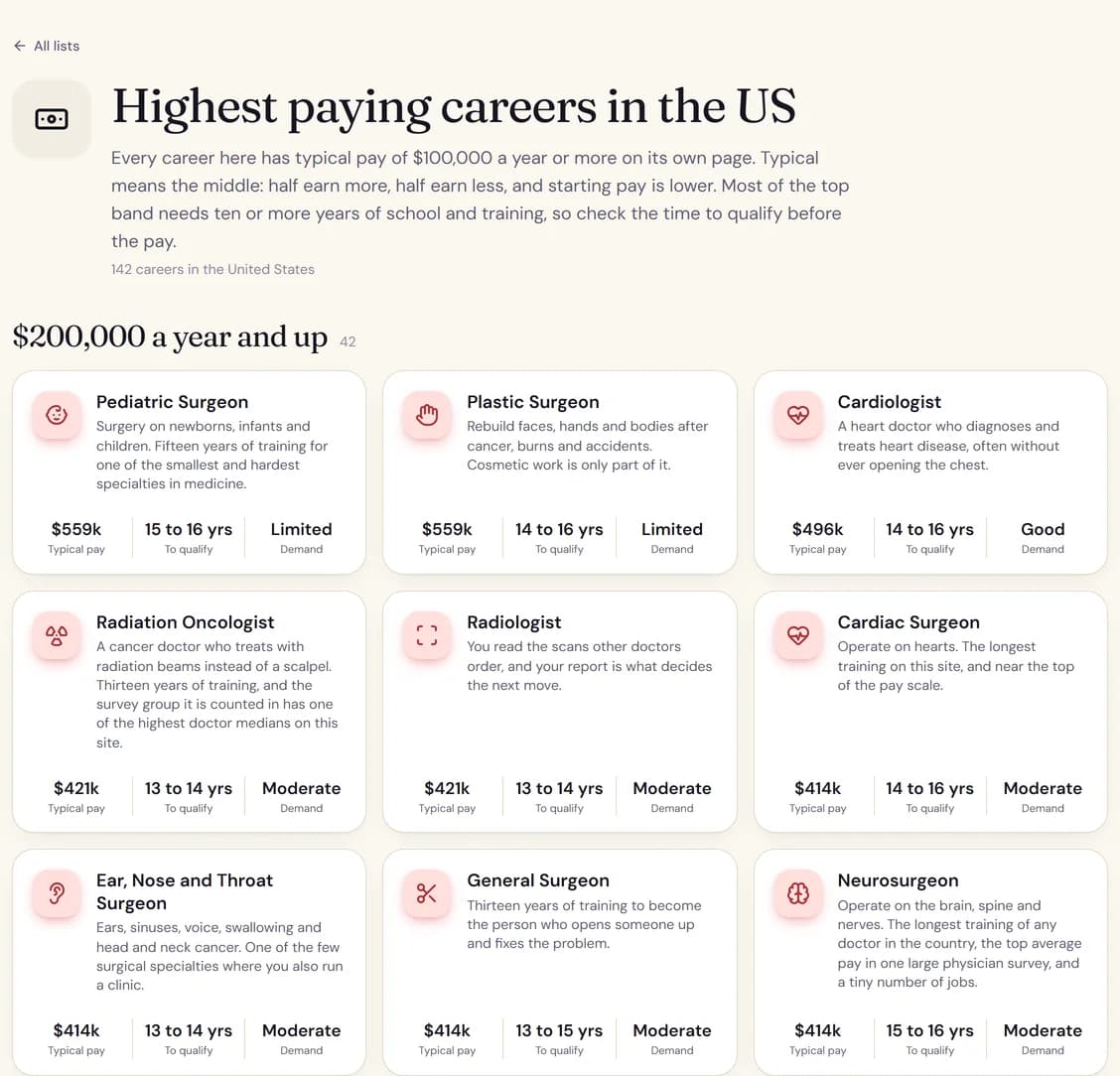
18 lists answer the questions people ask most: the highest paying careers, careers in demand, careers you can qualify for in two years or less, careers you can do from home, careers that cost under $5,000 to train for, and one for every field. Each card shows pay, years to qualify and demand, so you can scan a whole field in a minute.
11
Read the guides
The 17 guides for students answer three kinds of question. The admissions ones: whether junior year grades matter, how colleges calculate your GPA, early action against early decision, when decisions come out, and which schools still want the SAT, school by school. What you see on TikTok and YouTube: whether day trading is a real career, how much YouTubers make, whether dropshipping still works, how to spot a make-money-online scam. And how to get into a field: investment banking, finance, starting a business, the jobs that did not exist 20 years ago. Each one uses the same sourced figures as the rest of the site, and links straight to the careers it talks about.
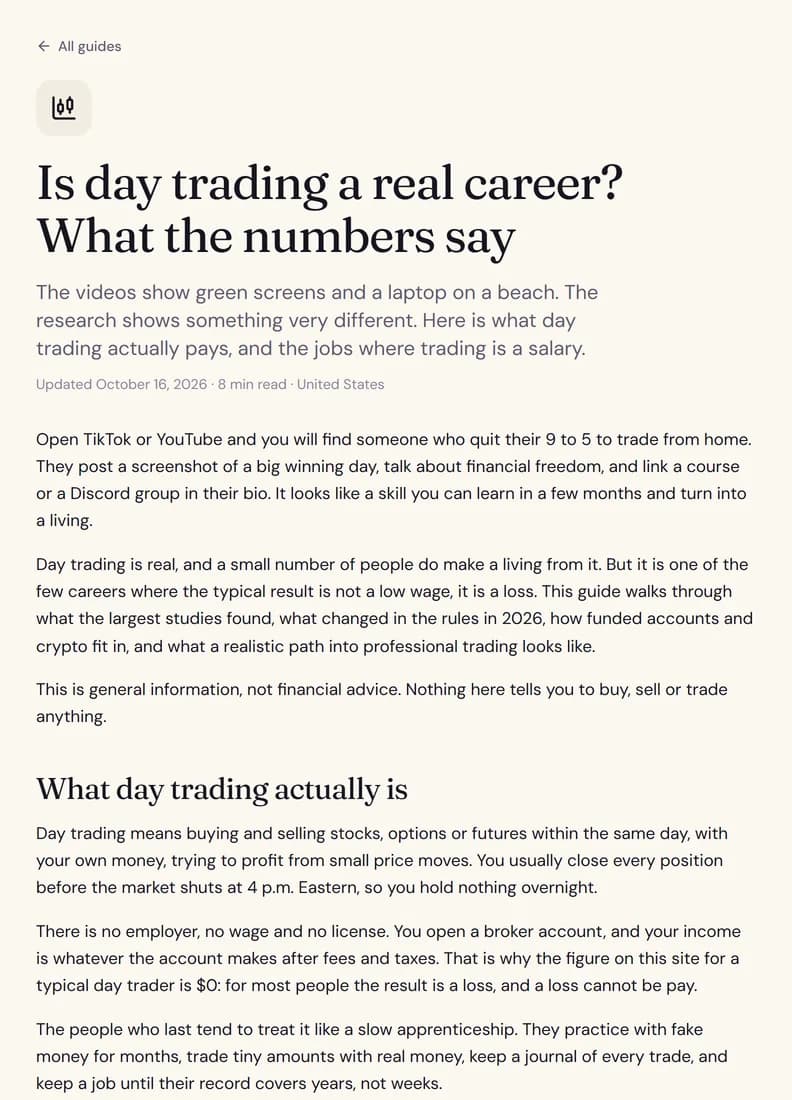
12
For counselors and teachers: send it with your notes
Every comparison, finder result and school or program page can go to a student as a link. "Send to a student" opens your own email with a short summary and the link already written, or copies it to paste anywhere; Careerhelp never sees the address.
"Add notes for your student" lets you write a short note above any section, such as "ask about the co-op here" or "this is your safety school". The notes travel inside the link itself, so the student sees them when they open it, and nothing is stored on our side. There are no accounts for you or your students.
13
Check where any number came from
Every page lists the sources its figures come from, at the bottom of the page. The sources and methods pages go further: how each part of the site was built, how reliable each kind of number is, and the result of re-checking every one of the site's source links. Every correction is listed with its date on the corrections page, and an independent monitor publishes whether the site has been up on its status page.
Long pages get a button in the bottom corner that says where you are and jumps to any section. Spot a mistake anywhere? The box at the bottom of every page sends it straight to the person who fixes it.
No sign-up, and new every month
Today everything above is open to everyone, with no account and nothing to sign up for, and the careers, guides and lists stay free for good. New careers, programs and tools go live every month, the day they are finished.